

Table of Contents (18 Sections)
Disclosure: this post contains affiliate links. If you buy through a link on this page, we may earn a commission at no extra cost to you. Read our full affiliate disclaimer.
Buy the BlueDriver Pro for one payment, a phone app, and repair guidance with no bill after checkout. Buy the OBDLink MX+ for a choice of apps and saved data logs. Buy the Foxwell NT604 Elite for a screen and buttons with no phone in the loop. Buy the XTOOL A30M for active commands and service resets from your phone. Buy the Mucar 892BT for a workshop bench that commands parts and codes modules.
What we looked for
This guide covers five scanners sold with no required subscription for core diagnostics. We compared them on what stays free, which codes each one reads, whether it can command a part or run a reset, coverage, warranty, and the 3-year bill.
We ran no bench test and scanned no row of cars in a lab. Every spec comes from a maker page, support page, or listing page opened on 26 November 2026. Where a maker publishes no figure, we say so. Prices were checked on 26 November 2026. Amazon prices move daily, so use the Check Price link for the live figure.
No subscription means four different things here. A free app for life is one model. Lifetime updates is a second. Included phone add-ons with paid Windows add-ons is a third. Third-party apps with separate fees is a fourth. Each pick states which model applies.
Best for most drivers: BlueDriver Pro
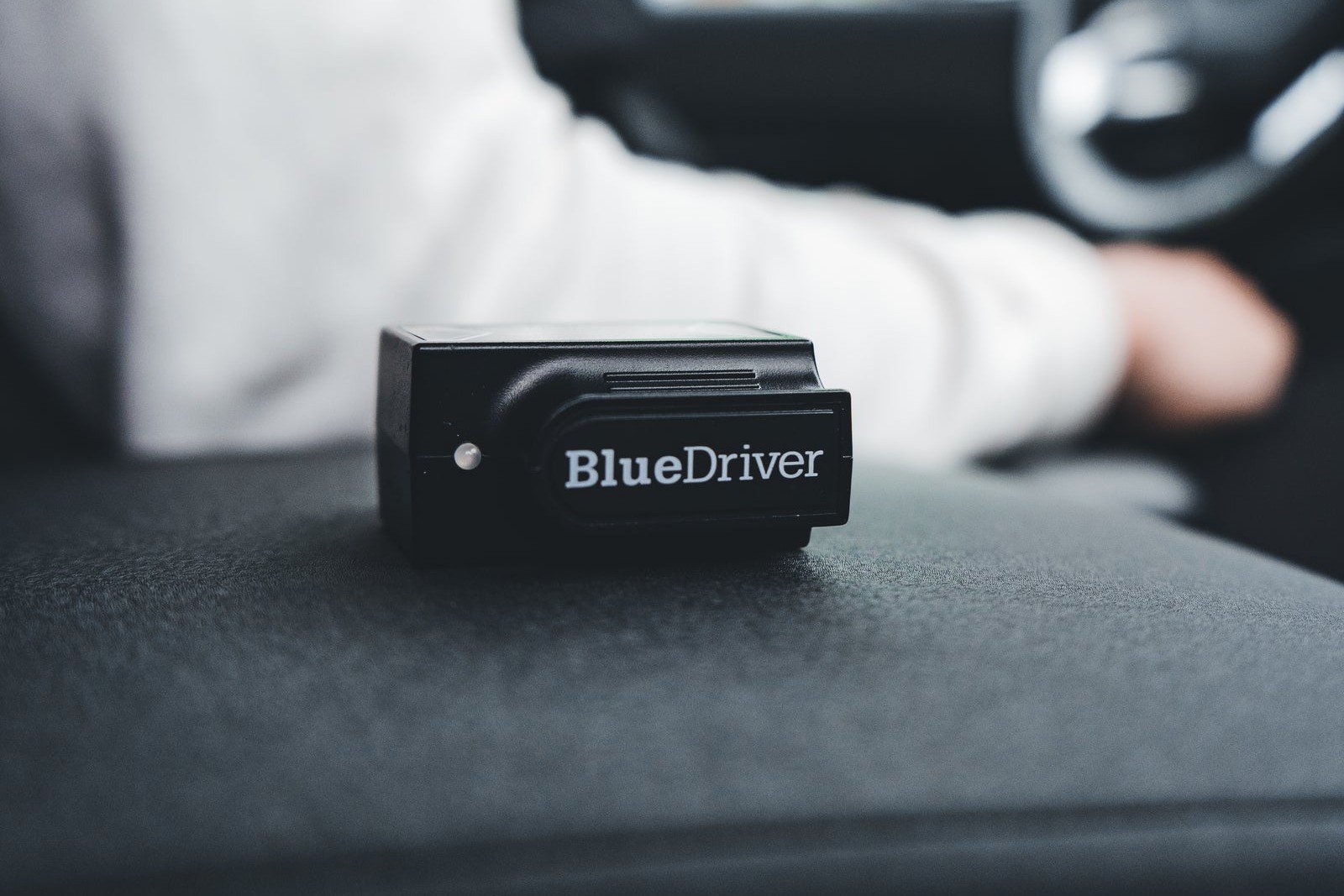
Price checked: $99.95 on us.bluedriver.com, 26 November 2026. The same page lists Black at $139.95 and Charcoal at $99.95.
Verdict. The pick for a driver who wants codes, plain repair guidance, and a finished bill. BlueDriver lists check engine codes plus enhanced ABS, airbag and transmission codes on supported vehicles.
| Spec | BlueDriver published |
|---|---|
| Connection | Bluetooth to the free BlueDriver app on iOS and Android |
| Codes | Check engine plus enhanced codes on supported vehicles; 9,000+ library; ABS, Airbag, SRS, TPMS on named makes |
| Data and reports | Live data, freeze frame, Mode 6, smog check, Repair Reports |
| Coverage | 1996 and newer cars, SUVs and light trucks sold in North America, most gas, diesel and hybrid |
| Subscription and warranty | None; 1-year limited warranty, 180-day returns |
| Active commands and resets | None listed |
What it does well. Guidance and finality. The Repair Report ties each code to possible causes and reported fixes. Mode 6 and freeze frame show test results and the snapshot from when the code set. No subscriptions. No add-ons. Ever.
Flaws but not dealbreakers. Enhanced diagnostics stop at the named makes and years. A car outside that list gets engine codes and reports, with no deeper systems. Variant prices differ by $40, so check the colour before you compare totals. No sensor weight is published.
Who it suits. Drivers who keep cars for years and want ABS or airbag codes without a shop visit. Who should skip it. Drivers who need to command a fuel pump or run an ABS bleed. This tool reads and guides. It does not command parts.
Full review context: our BlueDriver vs FIXD comparison works through the subscription maths, and our best OBD2 scanner for beginners roundup covers handheld readers too.
Best for app choice and data logs: OBDLink MX+
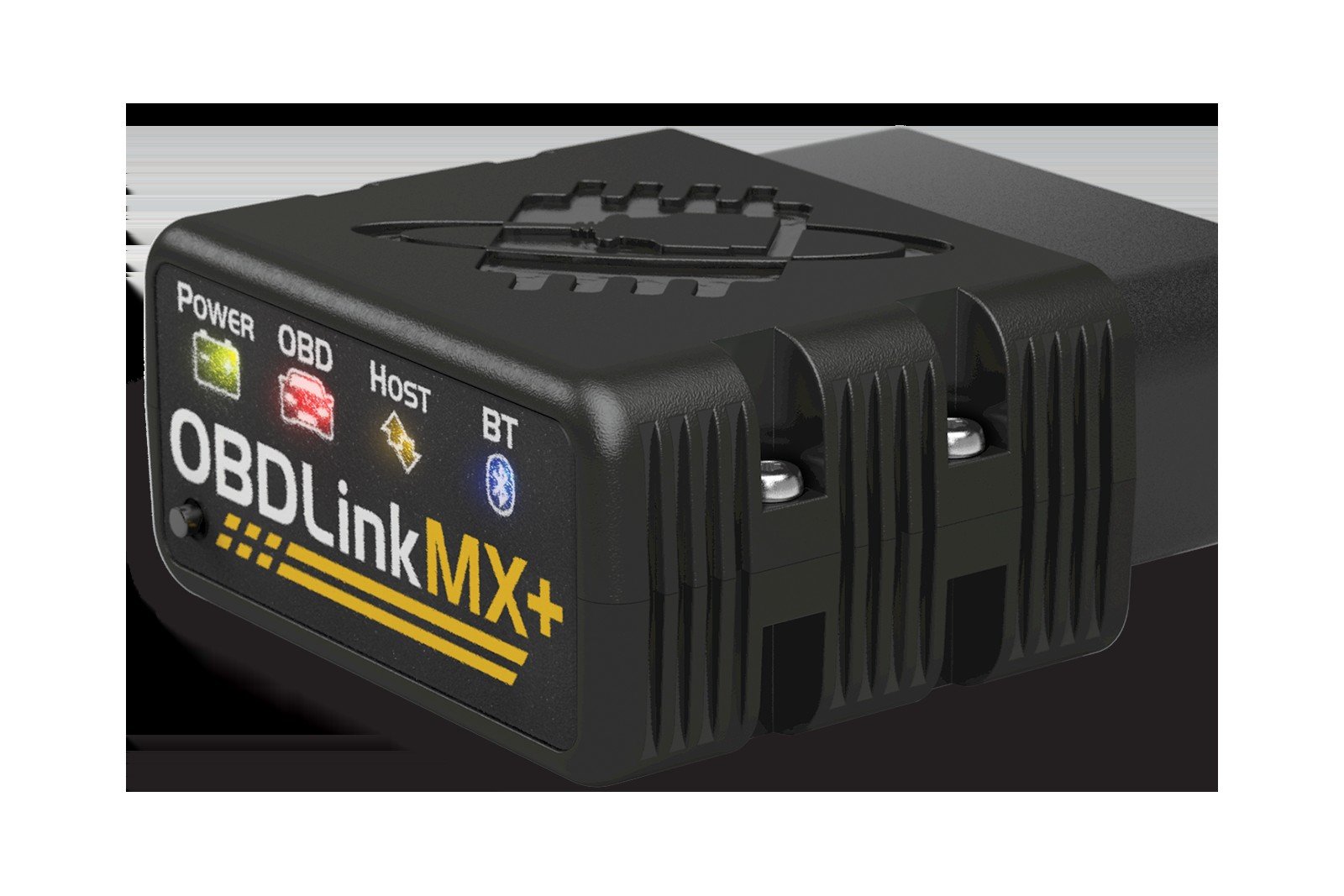
Price checked: $139.95 on obdlink.com, 26 November 2026, free US shipping listed.
Verdict. The pick for a driver who wants one adapter and a choice of software. The included phone app reads standard codes and maker codes on supported vehicles. The same hardware runs dozens of third-party apps with separate fees.
| Spec | OBDLink published |
|---|---|
| Connection and software | Bluetooth v3.0 to iOS, Android and Windows; free OBDLink app, OBDwiz on Windows |
| Maker add-ons | Phone add-ons included free with MX+ on supported vehicles; Windows enhanced add-ons sold separately |
| Networks and data | GM SW-CAN, Ford MS-CAN; graphing, logging, CSV export; up to 100 samples per second claimed |
| Coverage | 1996 and newer US cars and light trucks, with a hybrid and electric limit stated on the page |
| Subscription, updates, warranty | None for adapter and phone app; free updates while you own it; 3-year warranty, 180-day guarantee |
What it does well. Open hardware and data depth. Graph hundreds of parameters, save trip logs, and move to a specialist app without new hardware. Maker add-ons for GM, Honda, Acura, Hyundai and Kia come included on the phone app.
Flaws but not dealbreakers. The maker page says the tool works with all 1996 and newer US cars and light trucks other than hybrid or electric vehicles, then says read and clear codes on all OBD-compliant vehicles with no exceptions. Hybrid and electric owners should confirm coverage first. Maker coverage varies by make. The support page gives a 2018 Audi Q5 with standard codes only. A third-party app fills that gap for a separate fee. Standard codes run free in OBDwiz. Enhanced Windows add-ons cost extra.
Who it suits. Enthusiasts who log data, Ford and GM owners, and households that run more than one app. Who should skip it. Drivers who want one guided app and no software decisions.
Best handheld with no phone: Foxwell NT604 Elite

Price checked: $139.00 on foxwelldiag.com, 26 November 2026, against $169.00 regular price.
Verdict. The pick for a driver who wants four systems on a dedicated screen. Engine, transmission, ABS and SRS codes sit in one corded unit. No phone pairing stands between you and the scan.
| Spec | Foxwell published |
|---|---|
| Format and systems | Corded handheld; Engine, Transmission, ABS, SRS; full OBD II functions |
| Data and checks | Live data with playback, battery test, I/M readiness, automatic VIN scan |
| Coverage | 1996 US-based, 2000 EU-based and Asian cars, light trucks and SUVs; check model first |
| Subscription and warranty | None listed; Lifetime Free Update; 1-year warranty |
| Commands and resets | None listed on the maker page checked |
What it does well. Four-system reach at a code-reader price. An ABS or airbag light that a basic engine reader cannot see shows up here with live data. Battery test and readiness menus cover the checks drivers run before winter and inspections.
Flaws but not dealbreakers. Coverage stops at four systems, so body and HVAC modules stay out of reach. The compatibility list names no Nissan, Mazda or Subaru, so owners of those makes should confirm support first. No resets or active commands are listed. The maker page states Lifetime Free Update with no method named. A comparison page states Wi-Fi updates for the hard-case unit sold as ASIN B08PFJMTY3. Confirm the update route for the exact unit you buy.
Who it suits. Drivers who want a glovebox tool with its own screen and no app account. Who should skip it. Drivers who need oil resets, battery registration or full-module scans.
Best for active commands on a phone: XTOOL A30M
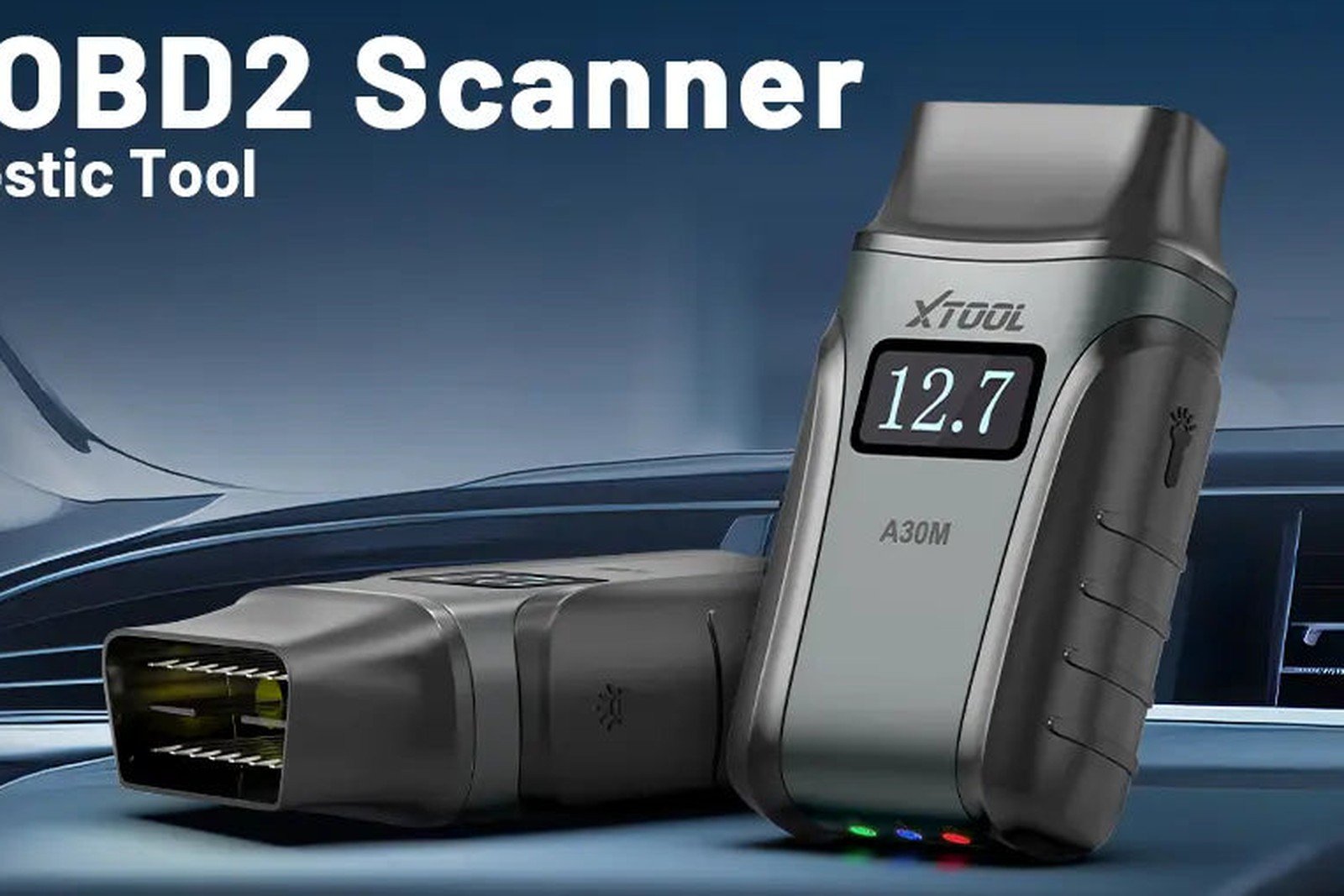
Price checked: $199.00 for the base A30M on the Acartool listing, 26 November 2026, with kit variants to $219.00. A guide opened the same day puts street pricing at $130 to $180. Budget with the range, then check the live price for the exact kit.
Verdict. The pick for a DIY mechanic who wants to command parts and run resets without a tablet bill. The maker list describes full-system diagnostics, bi-directional control, 26+ functions, Auto VIN and FCA AutoAuth support.
| Spec | Maker list and listing published |
|---|---|
| Connection | Bluetooth to the free Anyscan app on iOS and Android, up to 33 feet listed |
| Systems and commands | Full-system diagnostics; bi-directional control on supported vehicles |
| Service functions | 26+ resets and relearns listed, varies by vehicle |
| Protocols and data | CAN FD for 2020+ GM; FCA AutoAuth for 2018+ gateway vehicles; up to 8 live streams graphed |
| Coverage | Broad multi-make coverage; confirm by VIN before purchase |
| Subscription | None listed; lifetime free software updates on the listing |
| Limits | No deep ECU programming listed; warranty not stated on the pages checked |
What it does well. Command depth at a dongle price. Oil reset, EPB reset, ABS bleeding, throttle relearn, injector coding and crank sensor relearn all appear on the listing table. Active commands let you run a fuel pump or fan and watch the response.
Flaws but not dealbreakers. Functions vary by vehicle. Confirm by VIN before purchase. Price varies by seller and kit, from $130 to $180 in the guide to $199.00 base on the listing. Gateway access on 2018+ FCA vehicles runs through FCA AutoAuth, so confirm account terms first. The maker detail page could not be opened on check day, so price and update terms rest on the maker list plus listing and guide pages.
Who it suits. Home mechanics who do brake jobs, sensor swaps and battery work. Who should skip it. Drivers who only read engine codes twice a year.
Best workshop tablet: Mucar 892BT

Price checked: $459.98 on mythinkcar.com, 26 November 2026, against $674.95.
Verdict. The pick for a bench that scans many cars each week. Full-system diagnostics, ECU coding and bi-directional control sit on an 8-inch tablet with a magnetic dongle.
| Spec | Maker published |
|---|---|
| Format | 8-inch touchscreen tablet, 1280 by 800, with Bluetooth dongle |
| Systems and commands | Full-system diagnostics; bi-directional control on compatible vehicles |
| Coding and resets | ECU coding on compatible vehicles; 34+ functions in features, 35+ in FAQ on the same page |
| Guidance and hardware | MUAI assistance; quad-core 2.0 GHz, 4 GB RAM, 64 GB storage, Android 10 |
| Subscription | None; lifetime free updates, no annual fee required |
| Coverage count and warranty | Not stated on the maker page checked |
What it does well. Depth and guidance in one unit. Coding covers adaptation after parts swaps on compatible vehicles. Active commands cover fans, pumps, relays, windows and lights. The MUAI assistant turns codes and live data into repair steps on screen.
Flaws but not dealbreakers. Price puts this tool in workshop territory. A single-car household will leave most of the depth unused. The maker page counts functions two ways, 34+ and 35+, so confirm the exact list first. Coverage varies by vehicle. The standard 892BT cannot convert to the PRO later. A review summary lists FCA gateway access with a separate FCA account required. The maker page states no FCA terms, so confirm gateway costs if you run 2018+ FCA vehicles.
Who it suits. Mobile technicians, small workshops, and advanced DIY owners with several vehicles. Who should skip it. Drivers with one car and a check engine light twice a year.
Five picks side by side
| Spec | BlueDriver Pro | OBDLink MX+ | Foxwell NT604 Elite | XTOOL A30M | Mucar 892BT |
|---|---|---|---|---|---|
| Price checked 26 Nov 2026 | $99.95 | $139.95 | $139.00 | $130 to $199 | $459.98 |
| Format | Phone dongle | Phone and Windows adapter | Corded handheld | Phone dongle | Tablet |
| Subscription for core use | None | None on phone app | None | None | None |
| Updates | App updates included | Free while you own it | Lifetime free | Lifetime free | Lifetime free |
| Systems past engine | ABS, airbag, TPMS on named makes | Maker codes by vehicle | Transmission, ABS, SRS | Full system by module | Full system |
| Active commands | None listed | App-dependent | None listed | Yes, supported vehicles | Yes, compatible vehicles |
| Service resets | None listed | App-dependent | None listed | 26+ listed, by vehicle | 34+ or 35+, by vehicle |
| Warranty | 1 year | 3 years | 1 year | Not stated | Not stated |
Read the table by job. The first three columns read codes. The last two also command parts and run procedures.
The maths: what three years actually cost
Sticker prices mislead when one route bills every year. Here is the 3-year bill for each pick, worked from the prices above. Totals marked calculated assume prices hold.
| Route | Day-one price | Fees over 3 years | 3-year total (calculated) |
|---|---|---|---|
| BlueDriver Pro | $99.95 | $0 | $99.95 |
| Foxwell NT604 Elite | $139.00 | $0 | $139.00 |
| OBDLink MX+ phone route | $139.95 | $0 | $139.95 |
| XTOOL A30M | $130 to $199 | $0 | $130 to $199 |
| Mucar 892BT | $459.98 | $0 | $459.98 |
| FIXD free app only | $19.99 sale | $0 | $19.99 |
| FIXD with Premium yearly | $19.99 sale | 3 × $99.99 = $299.97 | $319.96 |
FIXD Premium sits at $99.99 per year on the order page checked. The FAQ states $99.00 per year, which gives $316.99 over three years (calculated). Either figure passes every phone pick here except the tablet.
The gap between the BlueDriver at $99.95 and the FIXD sensor at $19.99 sale price is $79.96 (calculated). One year of Premium covers that gap. A FIXD owner who keeps Premium for one year has paid $119.98 (calculated), more than the BlueDriver. Over three years the Premium route costs $319.96 (calculated), which is $180.01 more than the MX+ phone route (calculated). The free FIXD route stays cheapest at $19.99, with cost estimates and the mechanic hotline held in Premium. Third-party apps change the MX+ total only when you choose them.
Decision table: which scanner for which driver
| Your situation | Buy this | Why |
|---|---|---|
| One car, plain guidance, no yearly bills | BlueDriver Pro | One payment, Repair Reports |
| Ford or GM owner who logs data | OBDLink MX+ | Maker networks, logging, app choice |
| Want a screen, no phone or account | Foxwell NT604 Elite | Four systems on a handheld |
| Do your own brakes and sensor swaps | XTOOL A30M | Commands and 26+ resets by VIN |
| Scan many cars each week | Mucar 892BT | Tablet depth, coding, guided steps |
| Engine codes in plain words, lowest cost | FIXD free app route | Cheapest day-one price; skip Premium |
| Need ABS bleeding or battery registration | XTOOL A30M or Mucar 892BT | Confirm the procedure by VIN first |
| Own a 2018 Audi or similar, no maker codes in MX+ app | BlueDriver Pro or MX+ with specialist app | Check the maker coverage list first |
| Car older than 1996 | None of these | No OBD2 port; use a shop scan |
Guidance points to BlueDriver. Data work points to the MX+. Procedures point to the XTOOL or Mucar. A screen points to the Foxwell.
How to choose between them
What free means on each tool
Free app for life covers BlueDriver. One payment includes codes, live data, freeze frame, Mode 6 and Repair Reports. Lifetime updates covers the Foxwell, XTOOL and Mucar. Software stays current with no yearly charge. Included phone add-ons with paid Windows add-ons covers the MX+. Standard codes run free in OBDwiz. Enhanced Windows add-ons cost extra. Third-party apps sit outside every total here.
Coverage and commands split the field
Engine codes answer the check engine light. ABS, airbag and transmission codes answer the other dash lights. BlueDriver publishes enhanced systems on named makes. The MX+ publishes maker codes by vehicle, with Audi as a standard-codes-only example. The Foxwell covers four systems, with no Nissan, Mazda or Subaru named. The XTOOL and Mucar claim full-system reach. Reach still varies by car.
Reading a code tells you where to look. Commanding a part tells you whether the part works. The XTOOL and Mucar command fans, pumps and relays on supported vehicles. BlueDriver and Foxwell list no active commands. The MX+ commands parts only through a suitable app.
Checks before you order
Confirm year, make and model on the maker compatibility page. Confirm the exact system or reset by VIN where offered. Confirm gateway terms on 2018+ FCA vehicles, where an AutoAuth account sits outside the tool price. Warranty favours the MX+ at 3 years. BlueDriver offers 1 year with 180-day returns. Foxwell offers 1 year. XTOOL and Mucar pages state no warranty term, so confirm cover with the seller.
The competition
Two nearby routes frame this choice. The FIXD Sensor pairs a low sale price with a free app for engine codes, live data and ABS codes on select makes. Premium adds cost estimates, a mechanic hotline, forecasts and history reports at $99.99 per year. FIXD suits a driver who will run the free app and cancel the trial on day one. Basic engine-only readers cost less than every pick here. Those readers cannot see ABS or airbag faults. The five picks earn their places because each one finishes the bill at checkout for core diagnostics.
Questions drivers ask
Does no subscription mean every feature is free forever? Core diagnostics run with no required fee on all five picks. Separate costs can apply outside core use, such as Windows enhanced add-ons for the MX+, third-party apps, and FCA gateway accounts.
Which pick reads ABS and airbag codes? BlueDriver publishes ABS and airbag access on named makes. The Foxwell covers ABS and SRS across its compatibility list. The MX+ reads maker codes on supported vehicles through the included app or a suitable app. The XTOOL and Mucar scan ABS and SRS modules as part of full-system coverage.
Can these scanners fix a car that cranks and will not start? A scanner reads stored codes and live data. The repair still needs fuel, spark and sensor checks in order. Start with our car cranks but will not start guide. If dash lights come on with no crank, our car will not start but lights come on guide covers that case. For a charging fault, see our battery or alternator test guide.
Do I need a phone for every pick? The Foxwell and Mucar run on their own screens. BlueDriver, the MX+ and the XTOOL need a phone or tablet. The MX+ also runs on Windows through OBDwiz.
How we review
We compare maker specs, support pages and listing pages. We run no bench tests and scan no cars in a lab, so this guide prints no test scores. Every spec comes from a page opened on 26 November 2026. Where pages disagree, both figures appear. Where a maker publishes nothing, the gap is stated.
What to do next
First, name the job. Code reading, data logging, a screen, service procedures and bench work point to different picks. Second, run the maker compatibility check for your year, make and model. Third, price the 3-year total with the table above, including any app or gateway fee you plan to keep. Fourth, order the variant and kit you priced. Fifth, run a first scan in daylight and save the report. Clear a code only after the repair. Sixth, rescan to confirm the code stays gone. If a code points to a safety system you cannot repair, stop and call a mechanic.
Sources & Further Reading
- BlueDriver Pro product page: prices, enhanced makes, no-subscription lines, warranty, checked 26 November 2026.
- OBDLink MX+ product page: $139.95, no hidden fees, free updates, warranty, checked 26 November 2026.
- OBDLink enhanced diagnostics page: phone add-ons included, Audi example, checked 26 November 2026.
- OBDLink Windows guide: OBDwiz free codes, paid add-ons, checked 26 November 2026.
- Foxwell NT604 Elite page: $139.00, four systems, lifetime update, checked 26 November 2026.
- XTOOL model list: A30M functions, Auto VIN, FCA AutoAuth, checked 26 November 2026.
- XTOOL A30M listing: $199.00 base, CAN FD, lifetime updates, checked 26 November 2026.
- XTOOL A30M guide: ASIN B09KT9XNML, $130 to $180 range, checked 26 November 2026.
- Mucar 892BT page: $459.98, lifetime updates, function counts, checked 26 November 2026.
- Mucar 892BT review: FCA account note, checked 26 November 2026.
- Six-scanner ASIN list: ASINs B00652G4TS, B07JFRFJG6, B08PFJMTY3, checked 26 November 2026.
- Mucar video description: ASIN B0DTK24XKB link, checked 26 November 2026.
- FIXD order page: $19.99, Premium $99.99 per year, checked 26 November 2026.
- FIXD FAQ: free and Premium table, Premium $99.00 per year, checked 26 November 2026.
- Best OBD2 scanner for beginners: handheld and phone picks side by side.
- BlueDriver vs FIXD: subscription maths in detail.
No XTOOL or Mucar warranty term is printed here, because the pages checked state none. No Mucar vehicle coverage count is printed, because the maker page states none.
Every figure in this guide comes from a page opened and read on 26 November 2026.
Automotive Safety Notice
Lead-acid batteries produce flammable hydrogen gas and contain corrosive sulfuric acid. Always wear ANSI-rated eye protection, disconnect the negative terminal before electrical servicing, and consult an ASE-certified technician for fuel leaks or high-voltage hybrid systems.

Alexander Reed, MEng
Automotive engineer (MEng, 2021) specializing in no-start diagnostics, parasitic draw isolation, and starter-charging systems.
Verified Gravatar Profile ↗

Reader Discussion & Questions
1 Comments